 CodeShift
Write code and run servers from your phone.
CodeShift is two Android apps. A keyboard that switches between everyday typing and coding, and an SSH terminal with file transfer and a code editor. No ads, no tracking, no account.


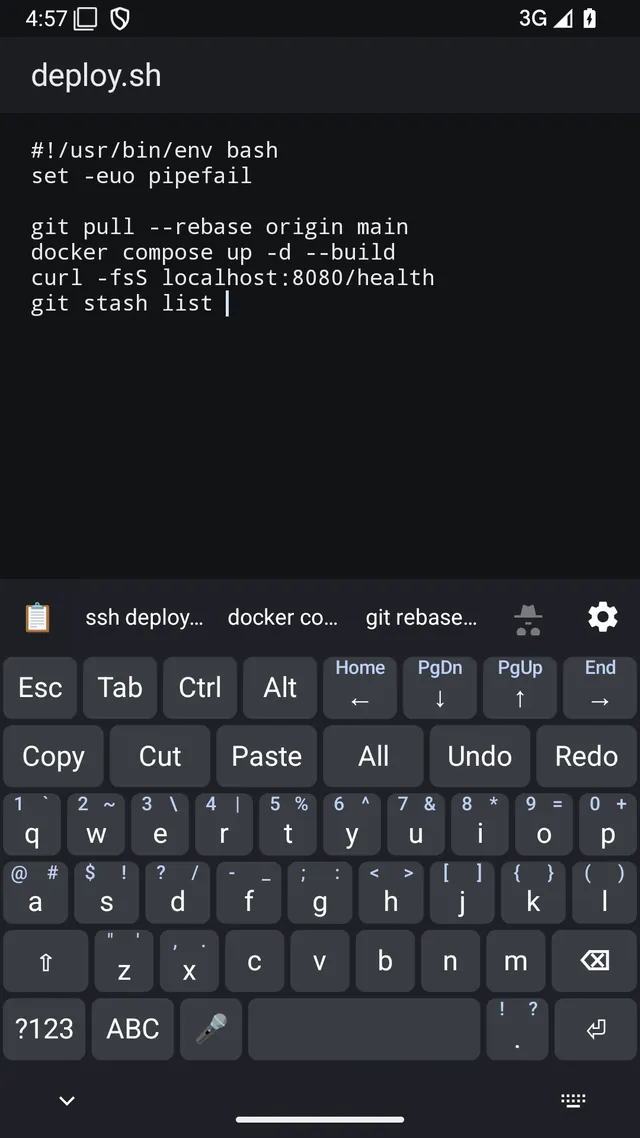
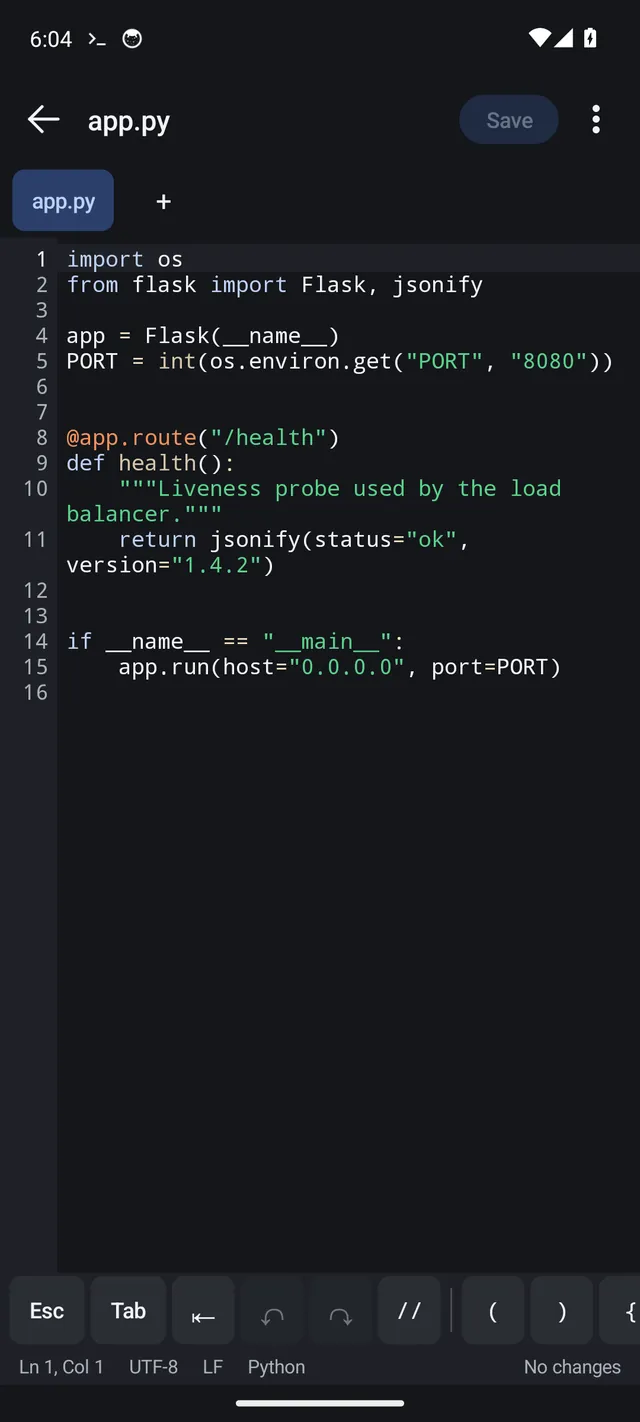
One keyboard. Two modes.
Most people end up with one keyboard for chat and another for a terminal, and swap between them all day. CodeShift Keyboard puts both in one app. Tap one key to change mode, and it remembers your choice for each app.
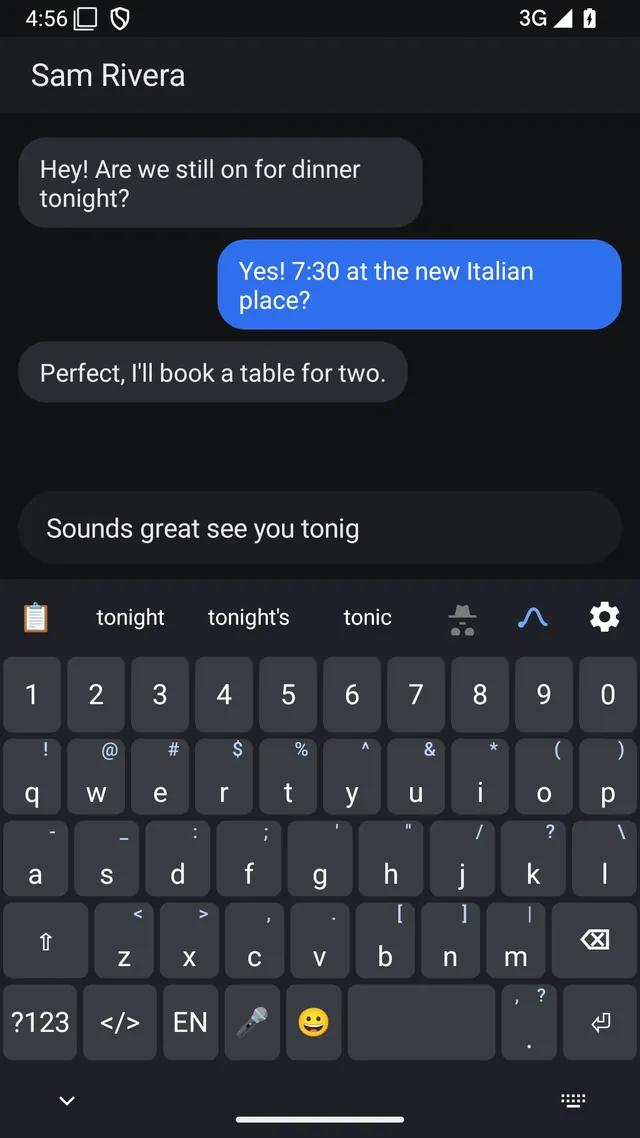
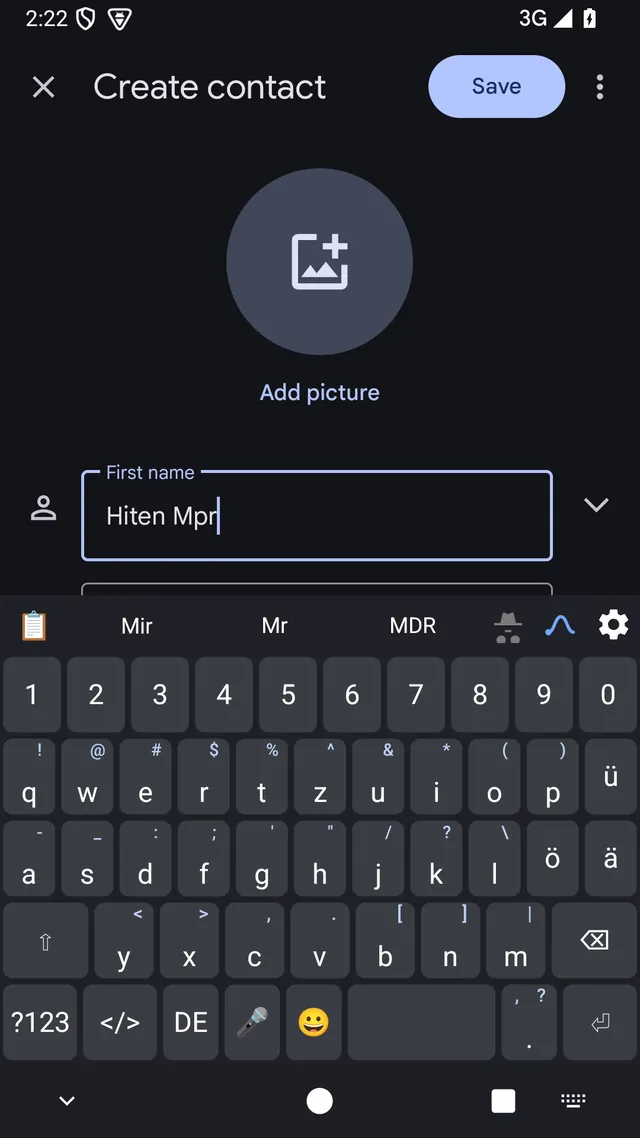
Everyday: a keyboard for people.
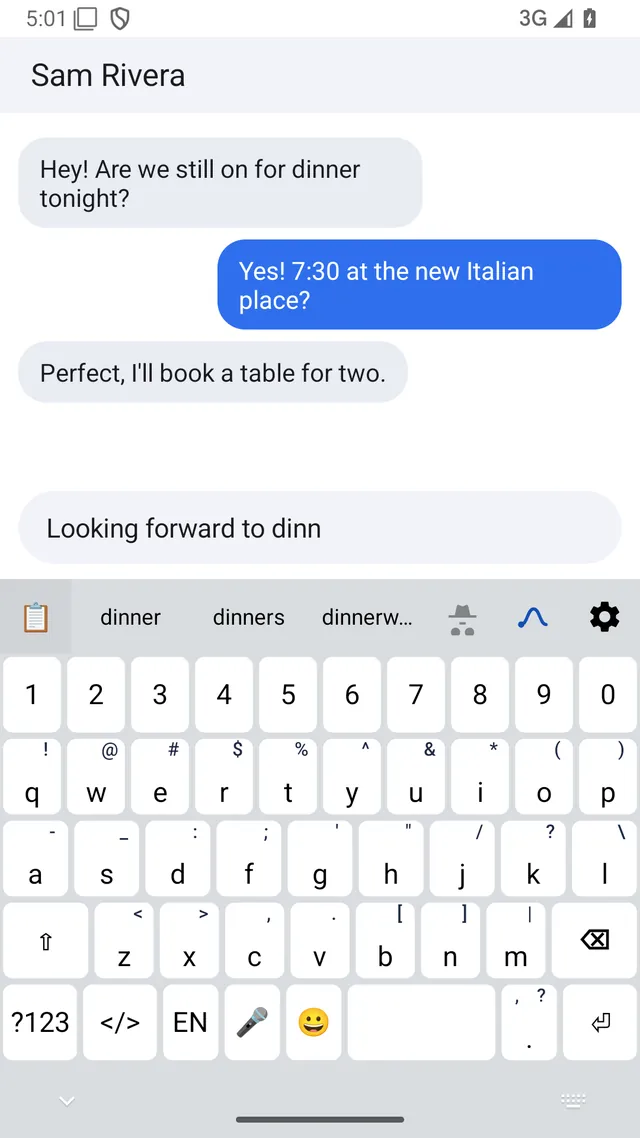
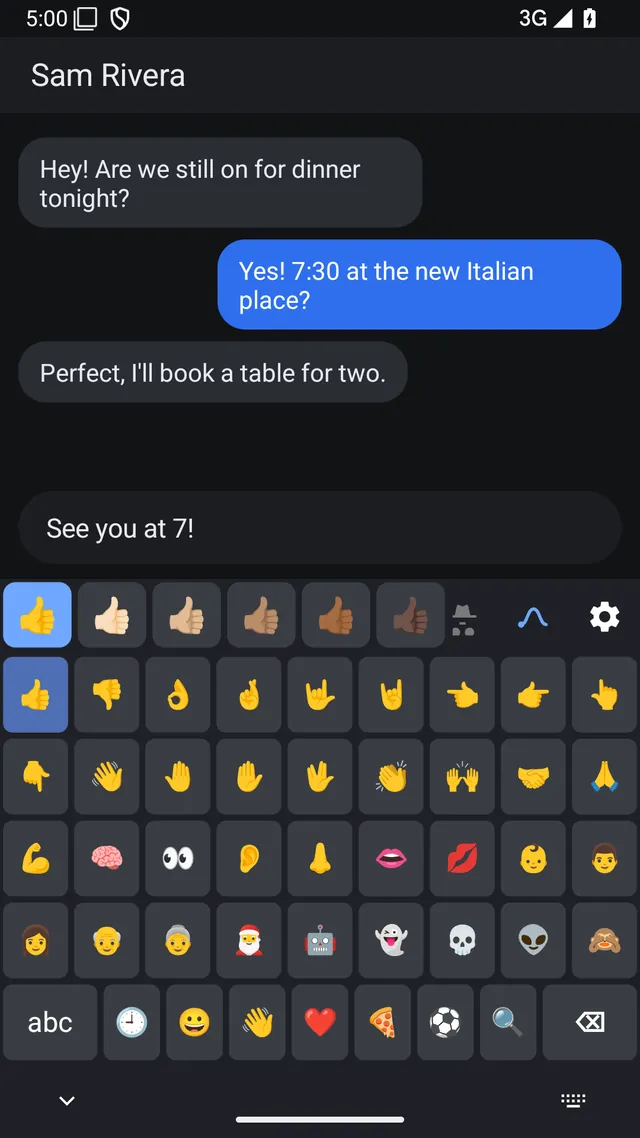
A familiar QWERTY layout with word suggestions, autocorrect, glide typing, emoji and voice typing. English, Spanish and German.
- SuggestionsNext-word prediction that learns from you. Backspace undoes an autocorrect.
- Glide typingSlide across the letters to type a word.
- PunctuationSwipe a key for punctuation; press and hold for accents.
- EmojiRecents, skin tones and search.
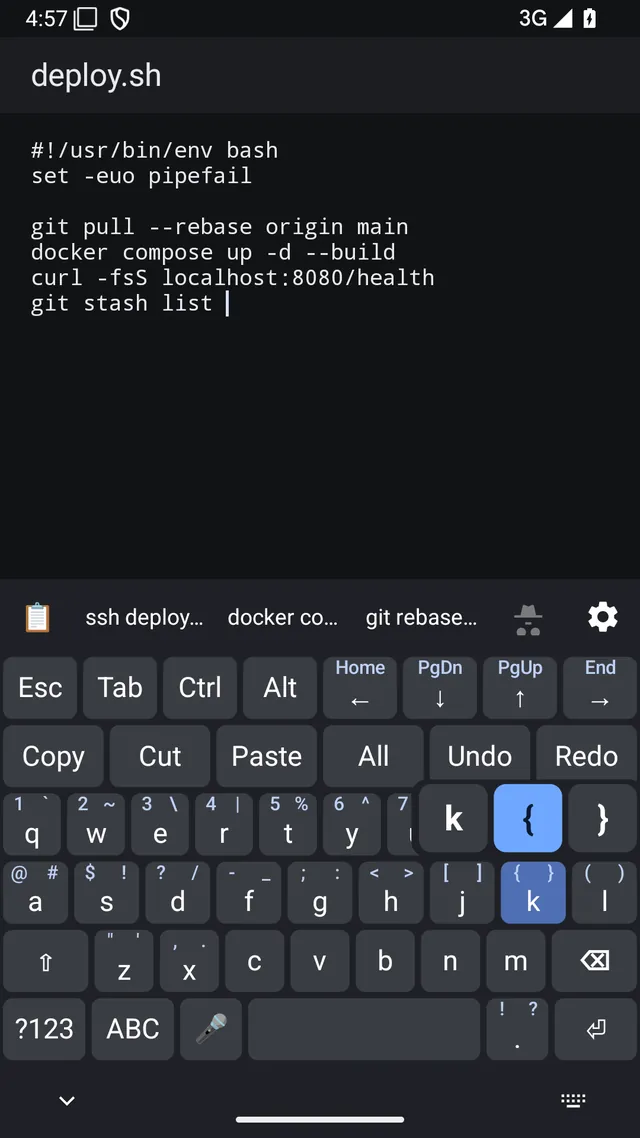
Code: the keys a terminal needs.
Esc, Tab, Ctrl and Alt stay on screen. Brackets, braces, pipes and digits sit one swipe away on the letter keys. Copy, paste and undo are one tap.
- ModifiersEsc, Tab, Ctrl and Alt always visible. Ctrl and Alt combinations work in terminal apps such as Termux.
- MovementArrow keys, with Home, End, PgUp and PgDn a swipe away.
- EditingCopy, Cut, Paste, Select all, Undo and Redo on one row.
- SymbolsSwipe any key for a symbol or number. Press and hold for the choices.
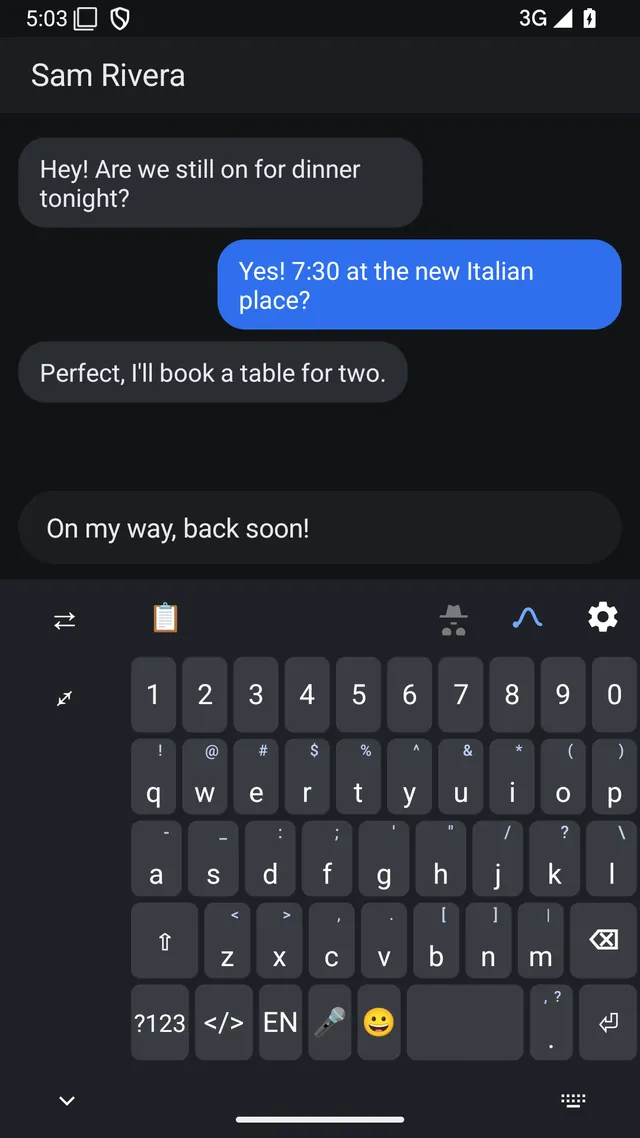
How to switch: tap </> on the everyday keyboard to go to code mode, and ABC to come back. Use the two buttons here to compare them.
Built for writing code on a phone.
Code mode does more than add a row of symbols. It helps you keep your place and catch mistakes.
- The syntax checker flags a missing or extra bracket, or an unclosed quote or comment, in the bar above the keys. Tap to fix it.
- Brackets and quotes close in pairs, and Enter auto-indents.
- Press and hold a key to see its symbols in a popup, then slide to the one you want.
- Command suggestions help you finish common coding and shell commands.
- Layouts fit the screen: compact phone, unfolded phone with a numpad, and a full tablet layout with F1 to F12.
And a regular keyboard when you are not coding.
Chat, email, search and notes use the everyday keyboard. It is not a stripped-down fallback.
- Word suggestions, autocorrect and next-word prediction that learn from what you type. Learning is switched off in incognito mode and in password fields.
- Glide typing, auto-capitalise and double-space period.
- Three languages with a language key: English, Spanish and German. German uses QWERTZ with ä, ö and ü keys.
- Voice input from the microphone key, handed to Google voice typing.
- Suggestions from your autofill service, such as logins and one-time codes, on Android 11 and up.
Clipboard and comfort
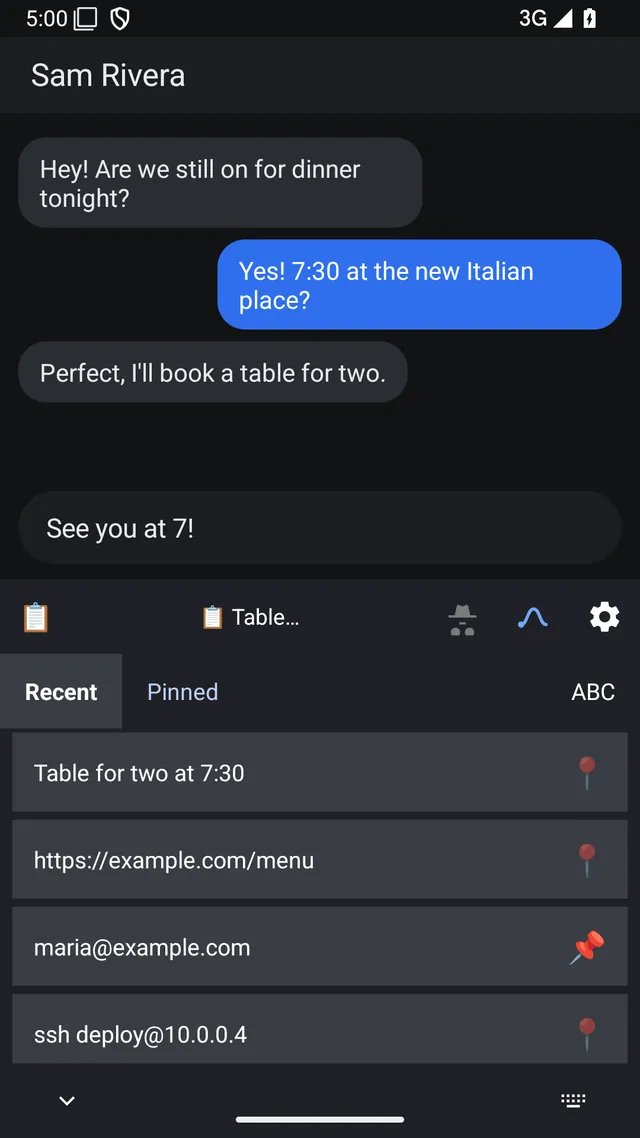
TalkBack screen reader support. Back up and restore your settings, saved words and pins to a file you choose.
An SSH terminal, file manager and editor for your own servers.
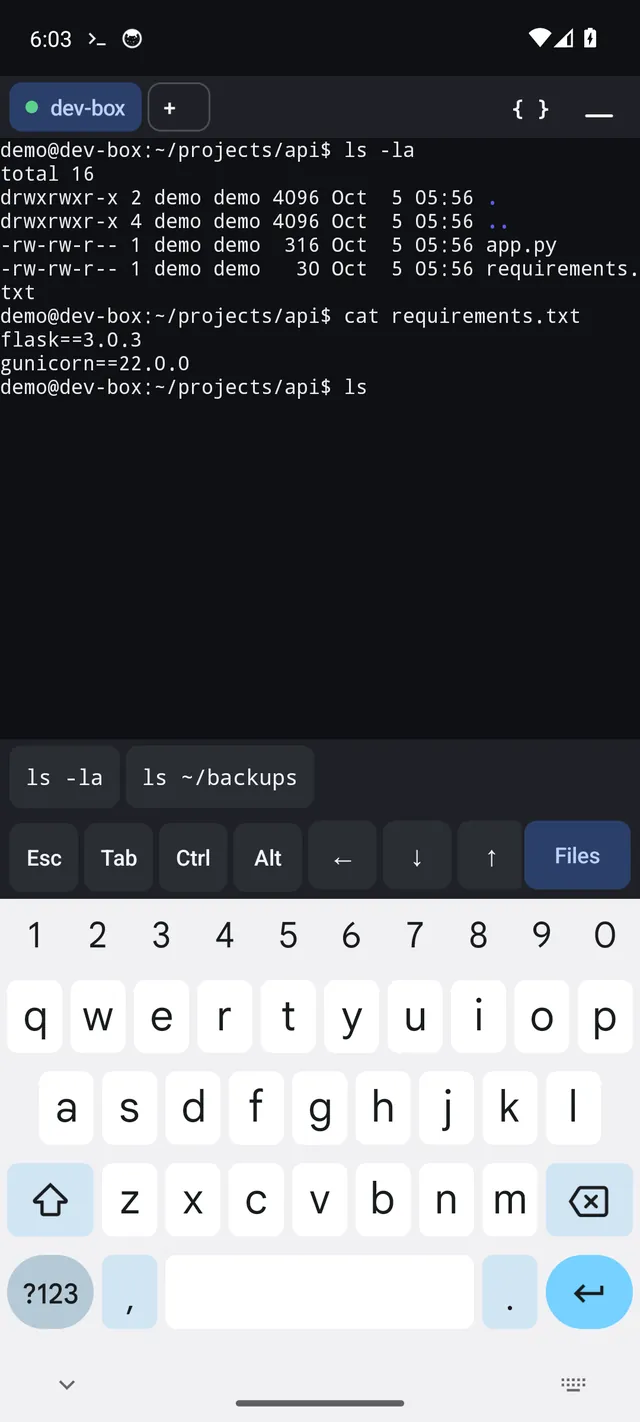
CodeShift Terminal is for people who look after servers from a phone or tablet: connect, run a command, open a config file, fix it, upload a file. It is one app, so you are not hopping between a terminal, a file transfer tool and a text editor.
Connect
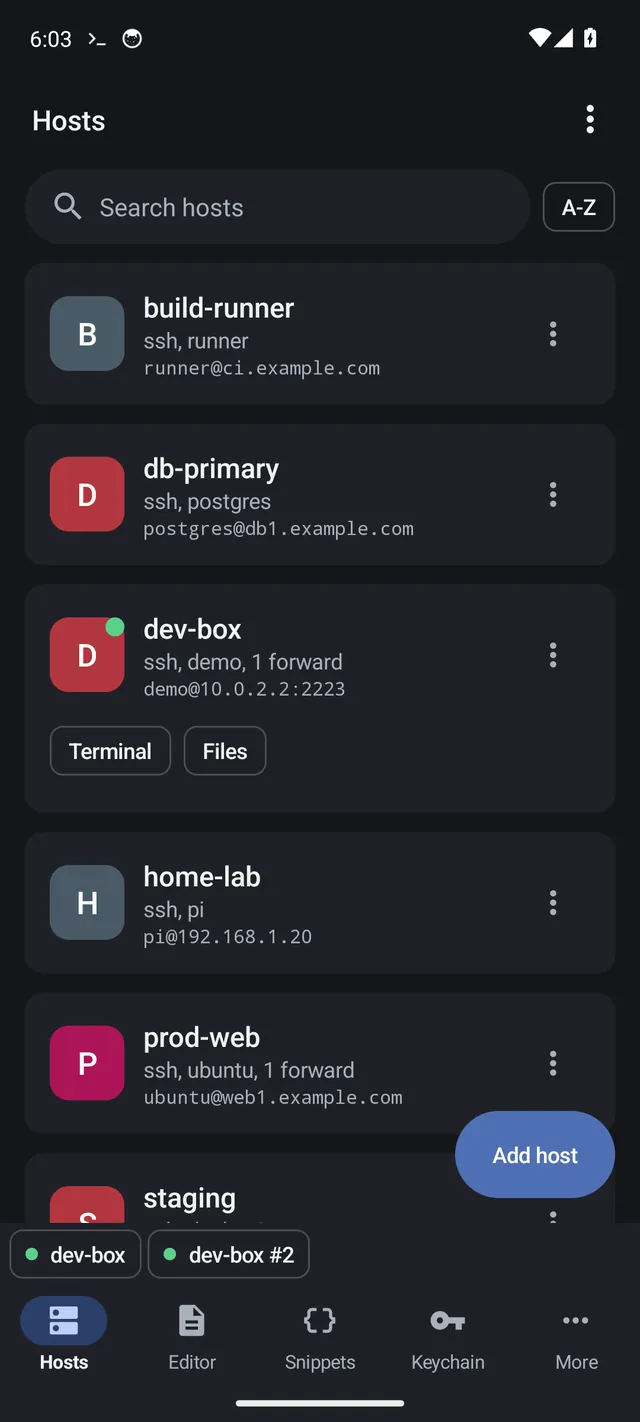
- Save as many hosts as you like, with search and sort.
- Log in with a password or a key. Generate an ed25519 key on the phone, or import ed25519, RSA and ECDSA keys. Each key belongs to one host.
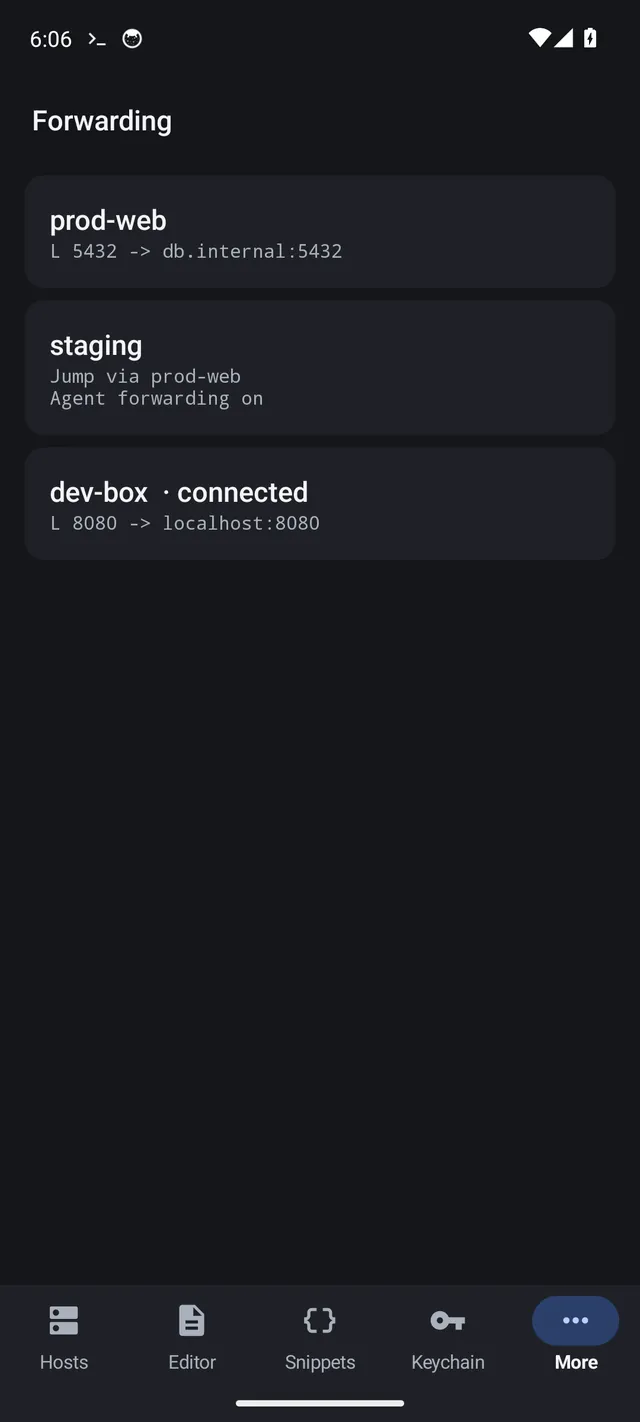
- Jump hosts, local and remote port forwarding, and optional agent forwarding.
- Import hosts from your
~/.ssh/config. - You confirm a server's host key the first time, and you are warned if it changes.
Work
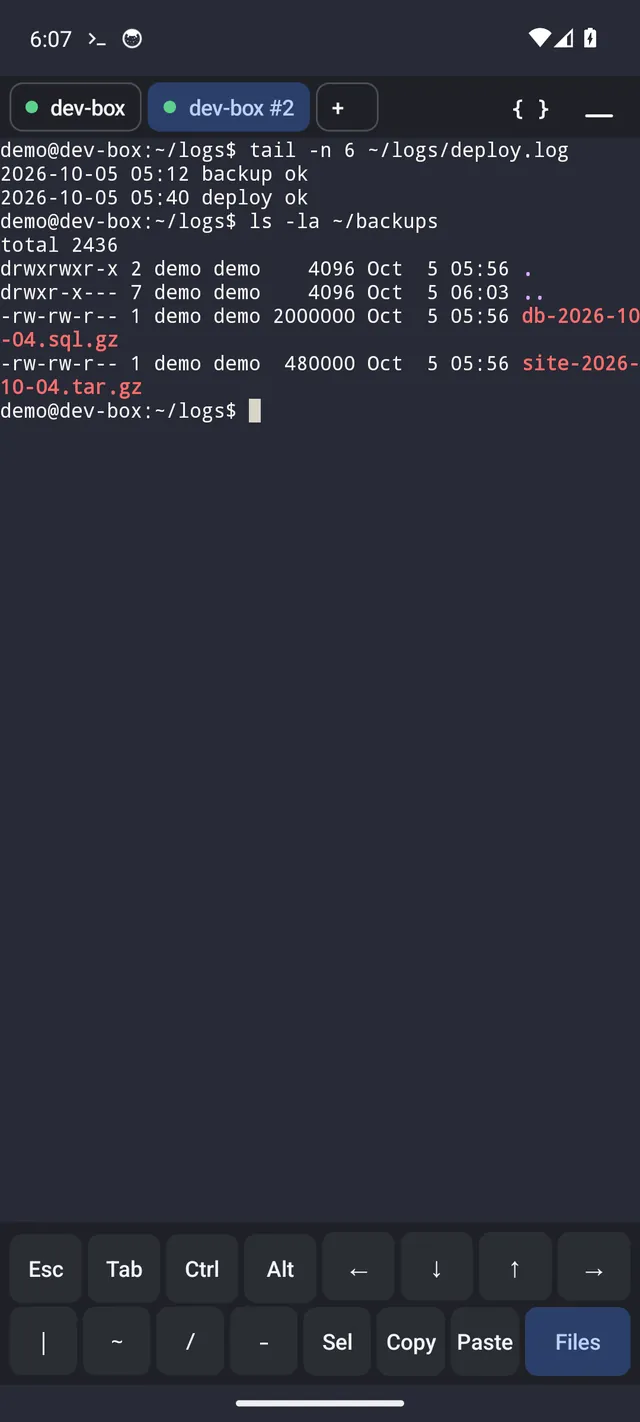
- Several sessions at once, including more than one shell on the same server, in a dock you can minimise and restore.
- An extra keys row: Esc, Tab, Ctrl, Alt, arrows and common symbols.
- Earlier commands appear as you type. They are stored encrypted on the phone and can be switched off.
- Snippets: save commands and send them to any session with one tap.
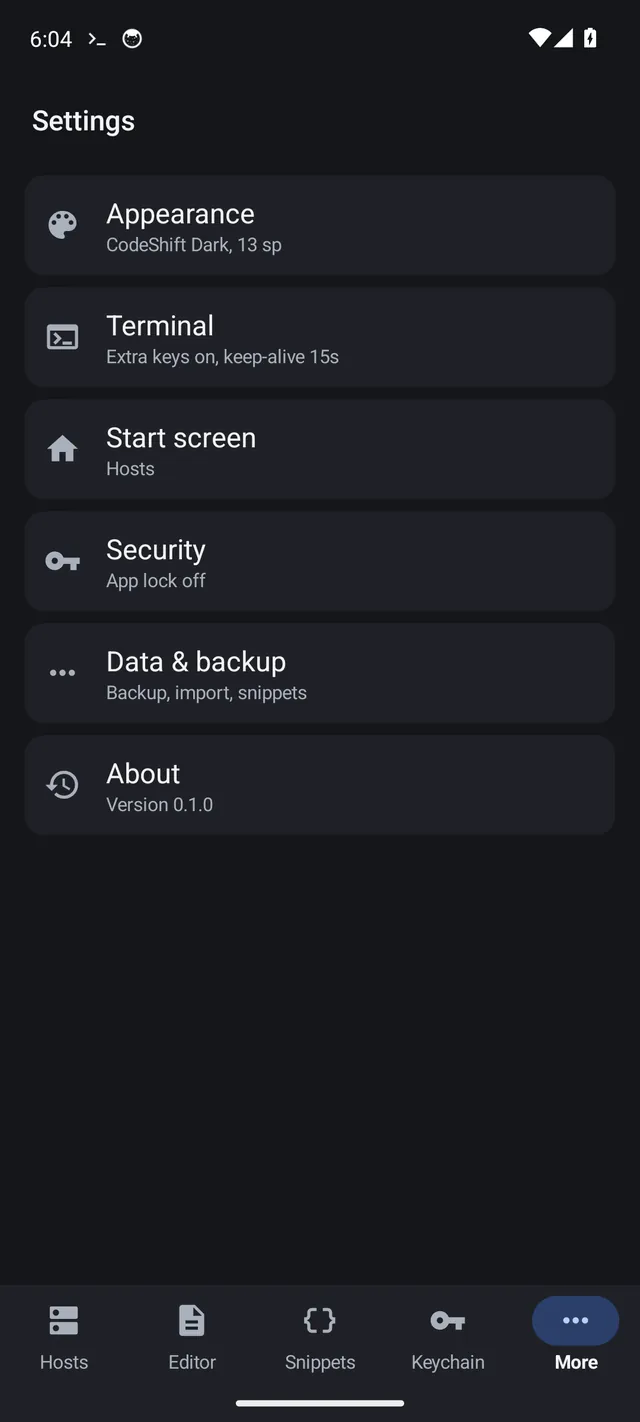
- Six colour themes. Sessions keep running in the background, with a notification while they are open.
Edit
- Open files on the server or on your phone, with syntax highlighting, search, undo and drafts.
- Start the app in the editor, or reopen your last file, from Settings or an app shortcut.
- A recent files list.
Transfer
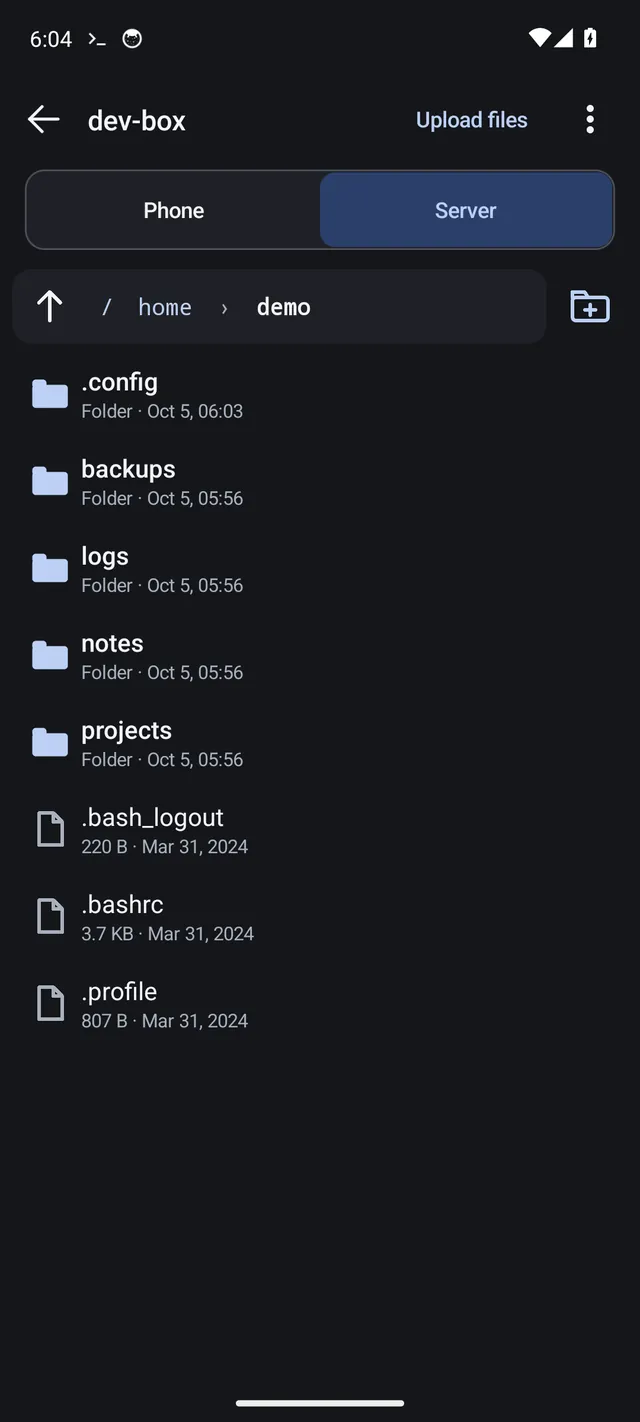
- Browse the server's folders over SFTP, upload and download, and cancel a transfer.
- Choose what happens when a name already exists.
What it does not do. You need your own SSH server; the app does not provide one. There is no Mosh and no cloud sync. Android may stop background apps on some phones, so keep the notification visible while a session is open.
Two apps, one idea: less friction.
Good developer tools get out of the way. These two apps stand alone, and you do not need both.
The keyboard makes input easier.
Typing code on glass is slow when every symbol is two taps away. The keyboard puts the keys you need within a swipe, and gives you a normal keyboard back when you stop coding.
The terminal makes remote work easier.
Looking after a server from a phone means a shell, a file browser and an editor. The terminal keeps all three in one place, with your hosts, keys and snippets saved on the device.
They fit together: the terminal has its own extra keys row and works with any keyboard, and CodeShift Keyboard's code mode suits it well. Neither depends on the other.
Your data is your business. Not ours.
We think software should collect only what it needs to do its job. These are the facts about each app, and the full policies are linked below.
CodeShift Keyboard
- It has no internet permission, so the keyboard itself cannot send what you type off the phone.
- It asks Android for one permission: the microphone, only for its built-in voice engine.
- No ads, no analytics, no crash-reporting service and no account. Android's cloud backup is off for it.
- Learned words, pinned items and clipboard history stay in the app's private storage on the phone. Incognito mode stops all learning.
- Voice typing is handled by Google voice typing or Android's speech service, which may use the internet. The keyboard never receives or stores the audio.
CodeShift Terminal
- It collects no data and has no account, ads or analytics. It connects only to the servers you add.
- Saved hosts, passwords and keys are encrypted with the Android Keystore.
- An app lock with fingerprint, face or screen lock is available.
- Command history and snippets are stored encrypted on the phone. Backups are an encrypted file you choose, with no cloud.
- Your connections use SSH. We do not run any server that your traffic passes through.
This website sets no cookies, runs no analytics and loads no third-party scripts or fonts. Every file comes from this site. It is hosted on GitHub Pages, which keeps its own server logs, as any host does.
Where things stand.
Neither app is publicly available yet. Both are in closed testing on Google Play.
- CodeShift Keyboard
- Status: closed testing on Google Play.
- Platform: Android 7.0 or newer, on phones, foldables and tablets.
- Price: a one-time purchase, with no subscriptions or in-app purchases.
- Languages: English, Spanish and German.
- CodeShift Terminal
- Status: closed testing on Google Play.
- Platform: Android 7.0 or newer, on phones, foldables and tablets.
- Price: a one-time purchase, with no subscriptions or in-app purchases.
- You need: your own SSH server.
To ask about testing access, email app.cs@mygig.life. Release dates and prices will be posted here when they are set.
Questions
What is CodeShift?
CodeShift is a pair of Android apps for people who write code and manage servers on a phone: CodeShift Keyboard and CodeShift Terminal. They are separate apps from the same developer, mygig.life.
How does mode switching work on the keyboard?
Tap the </> key to switch to code mode and ABC to switch back. The keyboard remembers the mode for each app, so a terminal app can stay in code mode while a messaging app stays in everyday mode.
Can I use the keyboard for normal typing?
Yes. The everyday mode is a full QWERTY keyboard with suggestions, autocorrect, glide typing, emoji and voice typing, in English, Spanish and German.
What is CodeShift Terminal?
An SSH terminal, an SFTP file manager and a code editor in one Android app. You connect to servers you already have, run commands, edit files on the server or on your phone, and move files between the two.
Which platforms are supported?
Android 7.0 and newer, on phones, foldables and tablets. There is no iPhone, desktop or web version.
Are the apps free?
No. Each is a one-time purchase, with no subscriptions, no in-app purchases and no ads. The prices will be set when each app is released.
Does the Terminal support Mosh or cloud sync?
No. It does not include Mosh, and there is no cloud sync. Your hosts, keys and snippets live on your device. You can move them to another phone with an encrypted backup file.
How does CodeShift handle personal information?
Neither app has ads, analytics or an account. The keyboard has no internet permission, and the terminal connects only to the servers you add. See the privacy section above for details.
Where are the privacy policies?
The keyboard policy is at codeshift.mygig.life/privacy, and the terminal policy is at codeshift.mygig.life/terminal/privacy. This guide explains which one covers which app.